Browse Facet Management
Configure and manage facets for category browse pages
What it solves
Shoppers who browse by category arrive with a different intent than shoppers who search. A shopper landing on "Women's Jackets" already knows the category — they need to refine by size, color, and price, not by the broader attributes that matter in search (like product type or gender, which are already implicit in the category context).
Browse facets let merchants configure a filter experience optimized for category browsing — separate from search facets — so each surface shows exactly the filters that are relevant for that context.
When to use it
- Launching a category browse experience — configure which filters appear on category pages before go-live
- Optimizing category-specific filters — different categories benefit from different facets. A "Running Shoes" category page might surface Width and Terrain; a "Dresses" category page might surface Length and Occasion
- Removing context-redundant facets — facets like "Gender" or "Category" are useful in search but redundant on a gendered or category-specific browse page
- A/B testing filter sets — iterate on which facets drive the most refinement behavior on browse pages without affecting search
Key concepts
Browse facet — a filterable dimension shown on category and browse pages. Configured independently from search facets, allowing a different filter set and ordering for each surface.
Page context — browse facets apply specifically to category page results (via POST /categories), not to text search results. The same attribute can be a facet in both contexts but configured differently in each.
Category-specific configuration — browse facet configuration can be applied globally across all category pages or overridden for specific categories. A top-level "Shoes" page might show different facets than a nested "Men's > Running > Road Running" page.
How it works
Browse facets are configured via attribute_configuration.json and the Merch Module UI under Facet Management, in a separate configuration from search facets. When a shopper loads a category page, the POST /categories call returns results with the browse facet configuration applied — independent of whatever facets would appear on a search result page for the same products.
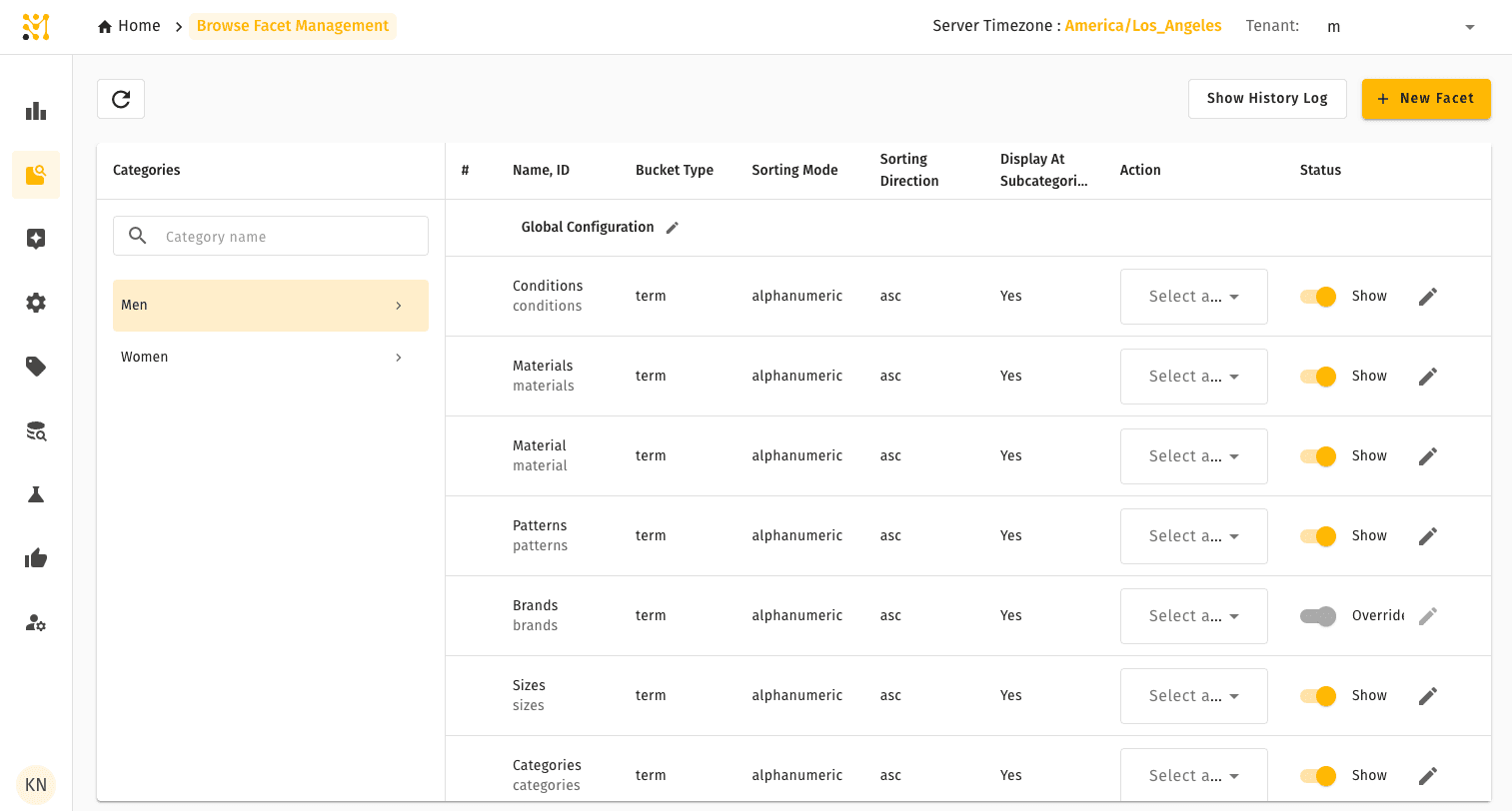
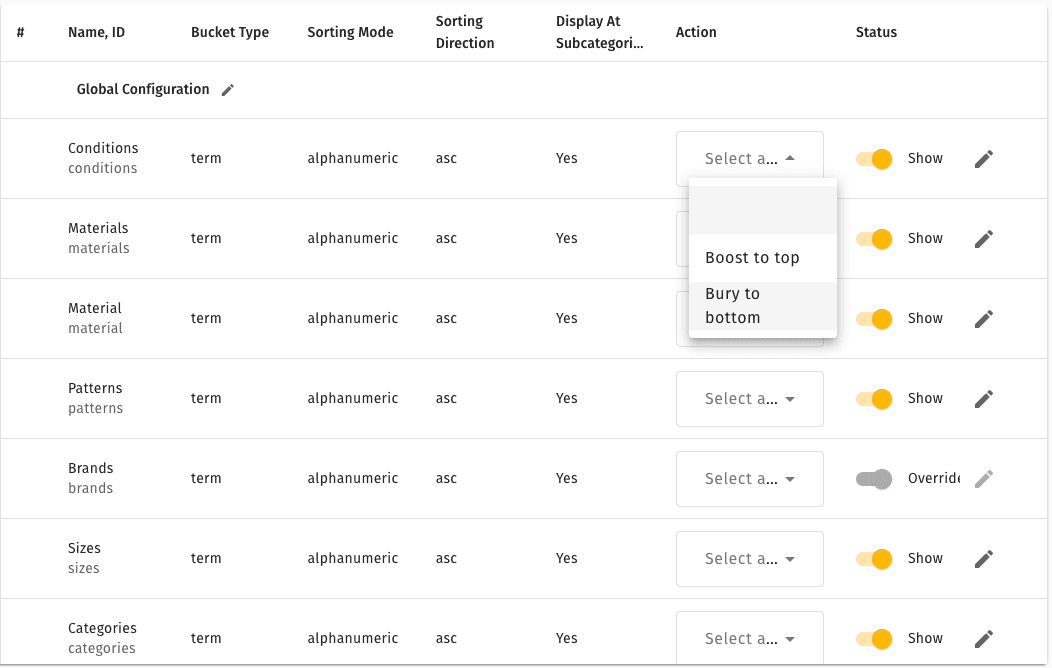
Selecting a facet exposes row-level actions (edit, reorder, remove) directly in the list.
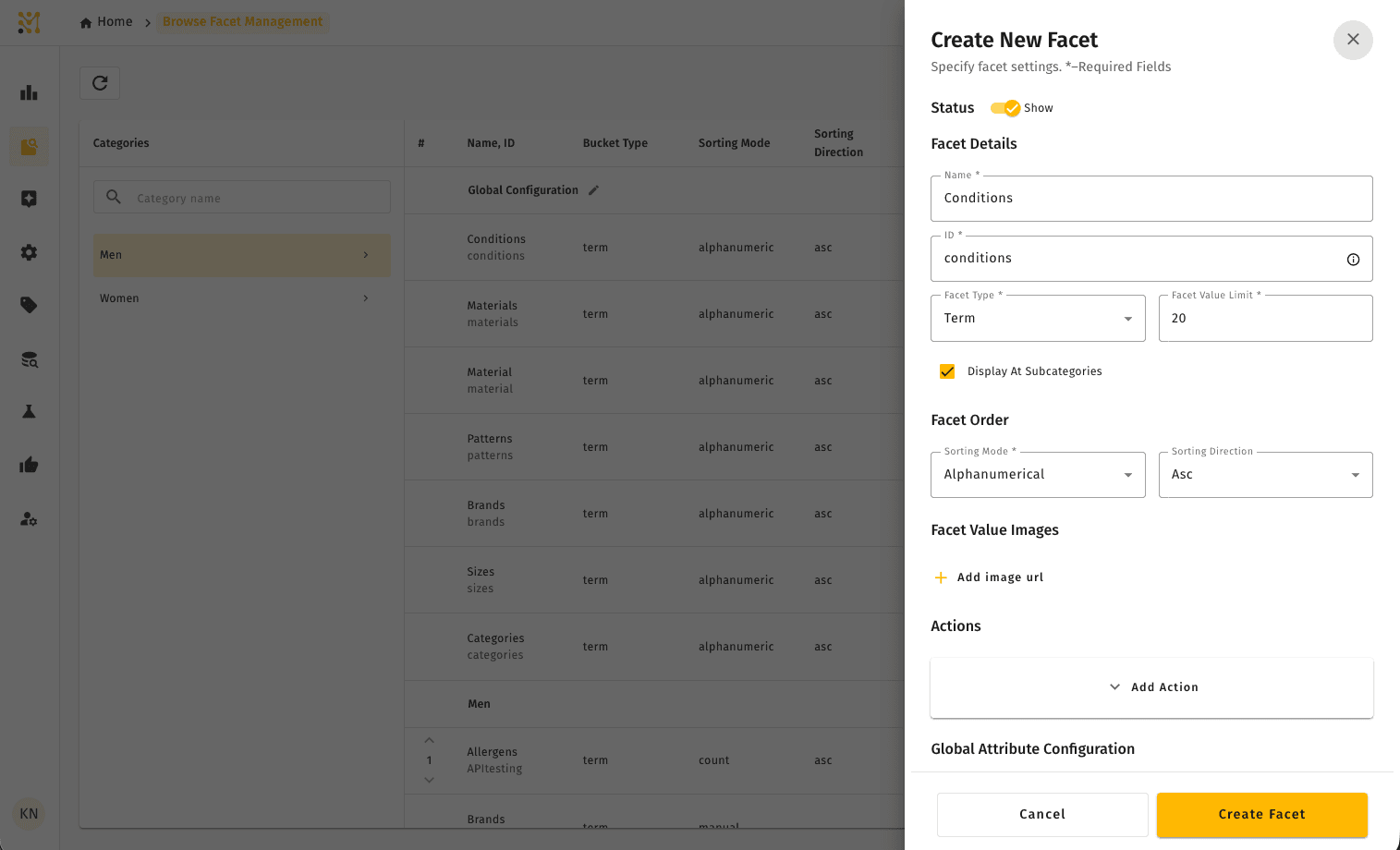
Use + New Facet to add an indexed attribute to the facet list and configure its label, ordering, and value behavior.
Quick example
A sporting goods retailer has "Color" and "Size" configured as facets on both search and browse pages. On search, they also show "Sport" and "Gender" as facets — useful for narrowing across the full catalog. On browse pages for specific sport categories, "Sport" and "Gender" are removed (they're already implicit in the category) and replaced with activity-specific facets like "Terrain" for running shoes or "Grip Type" for climbing shoes.
The result: shoppers browsing category pages see filters relevant to where they already are, not a generic filter set designed for open search.
Browse Facet Management is part of the full MXP platform and is not available in Lightweight mode. In a Lightweight deployment, facet behavior is managed in Facet and Tile Controls instead.