Autocomplete
Real-time query suggestions as users type
What it solves
Most shoppers don't complete their search query before they find what they're looking for — or give up. Every keystroke is an opportunity to guide them toward a query that returns good results. Without autocomplete, shoppers type freely, make spelling mistakes, and land on zero-result pages. With it, they're guided toward queries the catalog can actually answer.
Autocomplete also reduces the cognitive load of search: instead of having to know exactly what they want to type, shoppers can start with a few letters and let the system surface their intent.
When to use it
Autocomplete is always-on for any storefront using MXP search. Configuration decisions include:
- Promoting specific suggestions — surface branded or seasonal terms ahead of algorithmically ranked ones
- Blocking suggestions — remove terms that return poor results or are inappropriate for your brand context
- Tuning suggestion count — control how many suggestions appear and in what order
Key concepts
Suggestion index — a pre-built index of query completions derived from catalog content and query frequency. Updated as the catalog changes to keep suggestions relevant.
Prefix matching — suggestions are returned based on what the shopper has typed so far. Typing "run" surfaces "running shoes", "running tights", "running socks", and similar completions.
Frequency × relevance ranking — suggestions are ranked by a combination of how often a query has been used and how relevant it is to the current catalog. Popular queries that return good results rank above obscure ones.
Promoted suggestions — manually surfaced completions that appear ahead of algorithmic results for specific prefixes. Used for campaigns, new categories, or branded terms.
Blocked terms — suggestions explicitly suppressed from appearing, regardless of frequency. Used to remove terms that lead to poor results or are off-brand.
How it works
As a shopper types, the storefront calls GET /suggestions?qStr=<prefix> with the current input. The TypeaheadService looks up prefix matches in the suggestion index and returns a ranked list of completions. The response is fast enough to update suggestions on every keystroke without perceptible lag.
Promoted suggestions and blocked terms are managed in the Merch Module UI under the Autocomplete section.
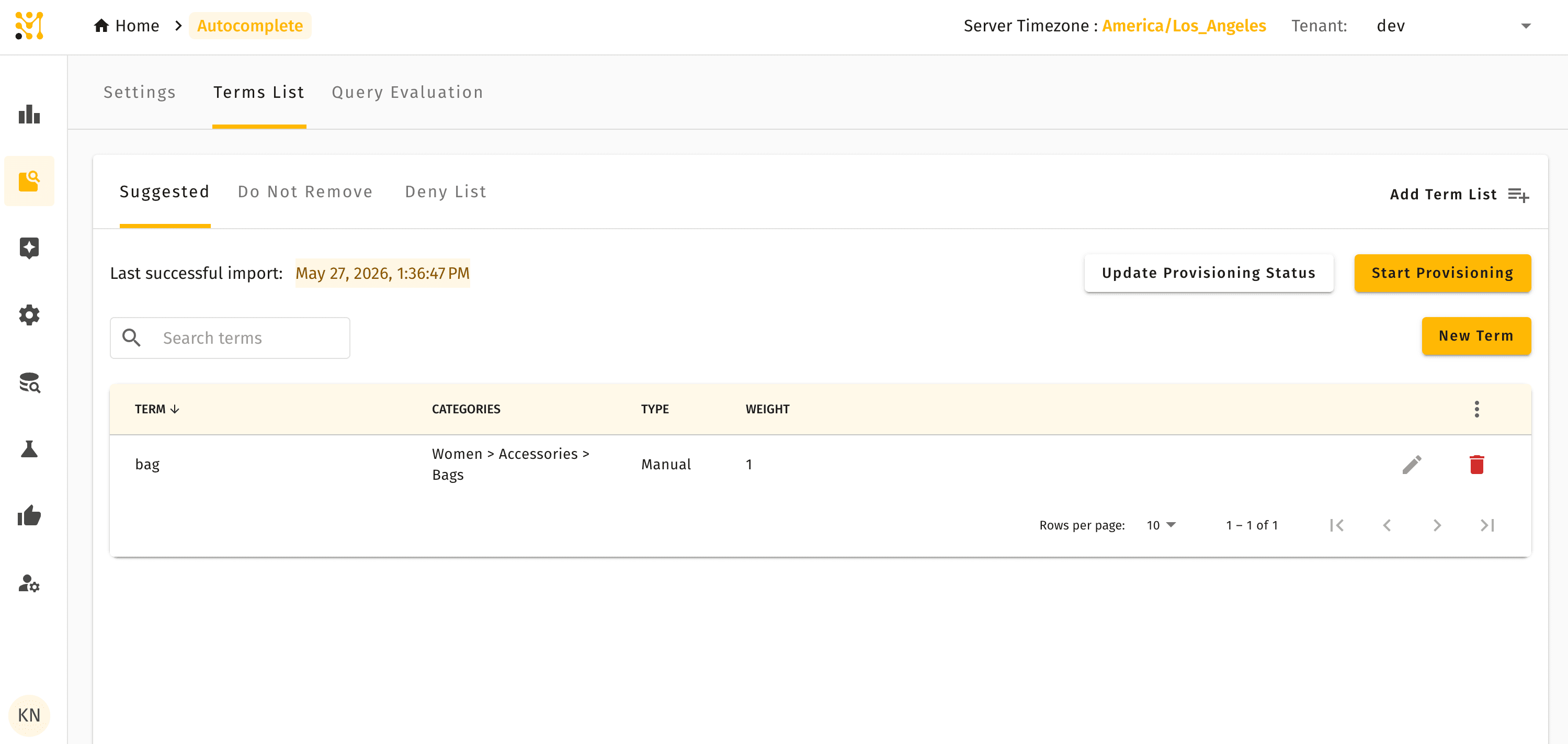
The Settings tab controls global behaviour: auto-learning, trending queries, suggestion count, and the minimum trigger length that activates suggestions.
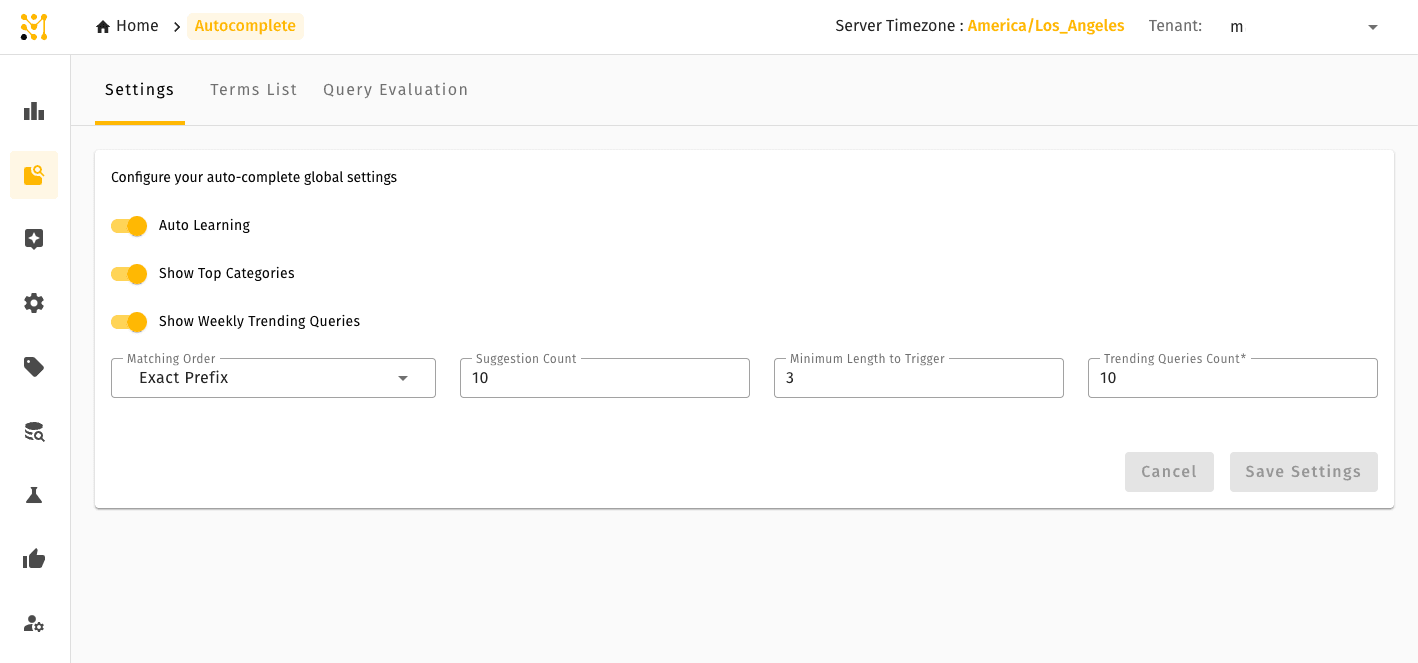
Quick example
A shopper on a fashion retailer's site types "bl". The autocomplete surface shows: "black jeans", "blazers", "black dress", "blue sneakers". The shopper selects "black jeans" — a query the catalog answers well — rather than typing "black denim trousers", a more specific query that might return zero results.
The retailer has also promoted "Black Friday Deals" as a suggestion for the prefix "bl" during the November campaign window, so it appears at the top of the list above the algorithmic results.
Autocomplete is available in Lightweight mode with two Settings options that differ — see what differs.