Dynamic Categories
Virtual category pages defined by saved search queries
What it solves
Traditional category pages are built by manually assigning products to a category — a process that requires constant maintenance as the catalog changes. New products get missed. Discontinued products linger. Seasonal categories go stale the moment someone stops curating them.
Dynamic categories replace static product lists with a saved query that executes at browsing time. The category always reflects what's actually in the catalog right now — without anyone having to update it.
When to use it
- Seasonal or trend-based categories — "New Arrivals", "Summer Essentials", "Trending Now" that should always show current products
- Attribute-driven categories — "All Red Products", "Under $50", "Sustainable Materials" defined by product attributes rather than manual selection
- Reducing curation overhead — any category where keeping the product list accurate manually is time-consuming or error-prone
- Launching new categories quickly — define a category by its rules and let the catalog populate it automatically
Key concepts
Saved query — the rule definition that determines which products appear in the category. Can combine attribute filters, price ranges, availability conditions, and relevance signals. The query executes every time the category page is loaded.
Category tree — the hierarchical navigation structure returned by MXP for use in storefront menus and breadcrumbs. Dynamic categories participate in the category tree alongside any static categories.
Query-time evaluation — unlike static categories, dynamic category membership is evaluated when the shopper loads the page, not when the product is indexed. A product that becomes available, changes price, or gains a new attribute will appear in or disappear from the relevant dynamic category on the next page load.
How it works
Category pages call the POST /categories endpoint on the Discovery service. MXP executes the saved query associated with the category and returns a ranked, filtered product list. Merchandising rules apply to dynamic category results the same way they apply to search results — boost, bury, pin, and filter rules are all compatible.
The full category tree — including dynamic categories — is available via the /categories/levels endpoint, which returns the hierarchy needed for navigation menus.
Dynamic categories are configured and managed in the Merch Module UI.
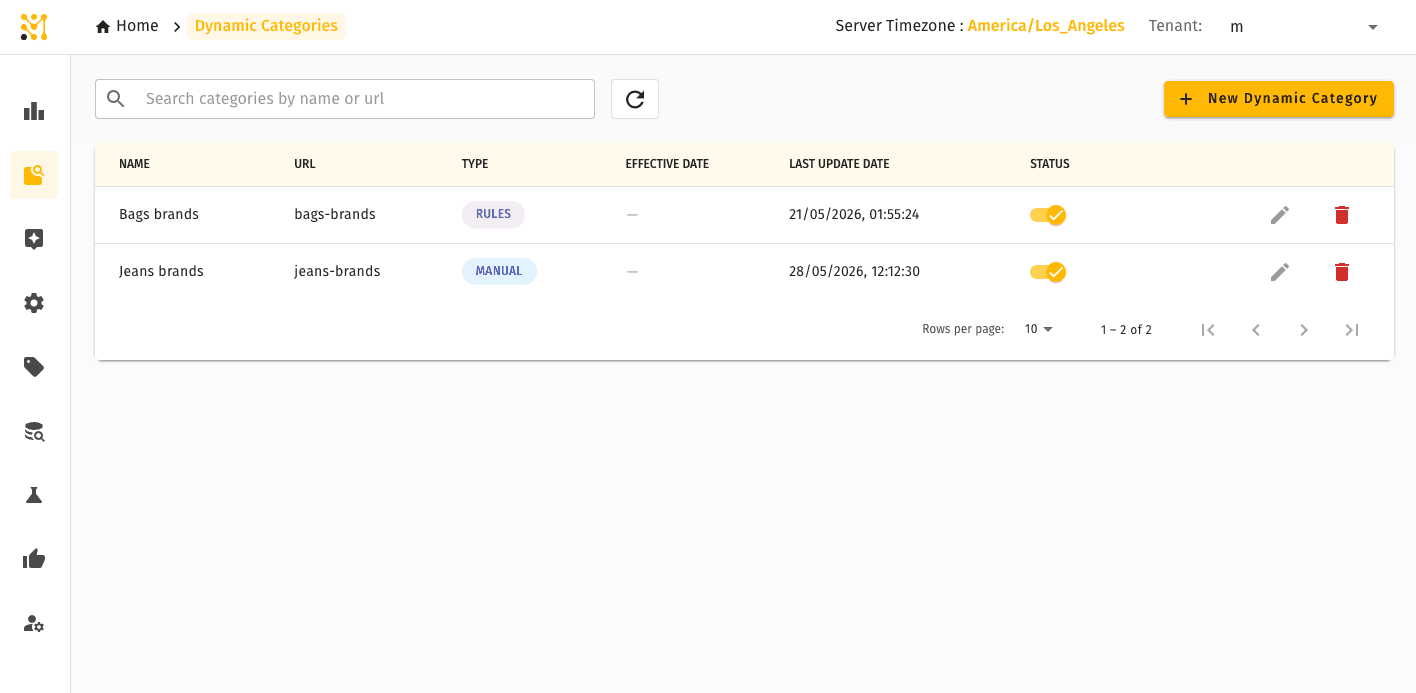
The category editor lets you define the saved query that determines membership — attribute filters, price ranges, availability conditions, and relevance signals.
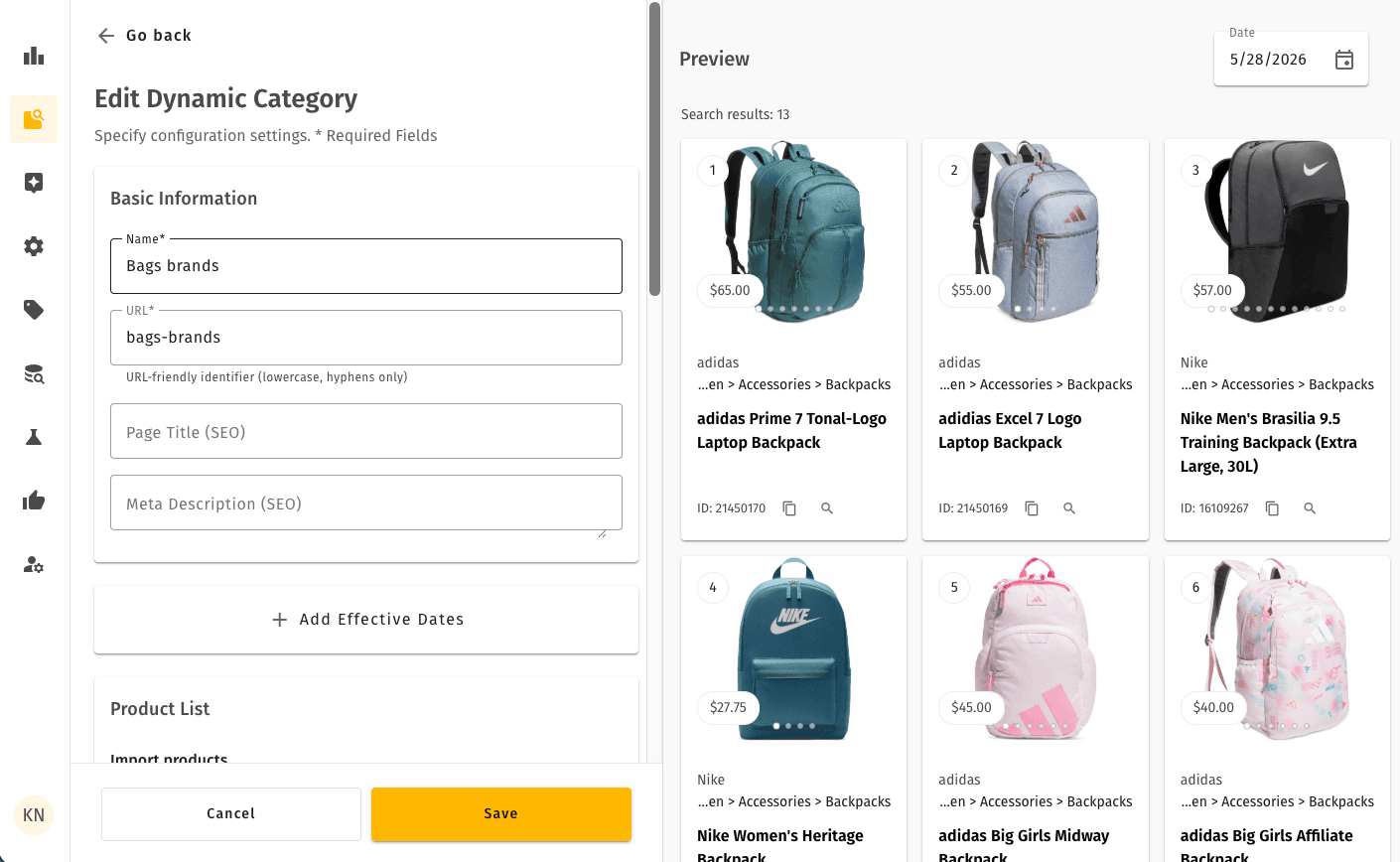
Discovery rules can be applied on top of a dynamic category to fine-tune ranking, pin featured products, or filter out unwanted items.
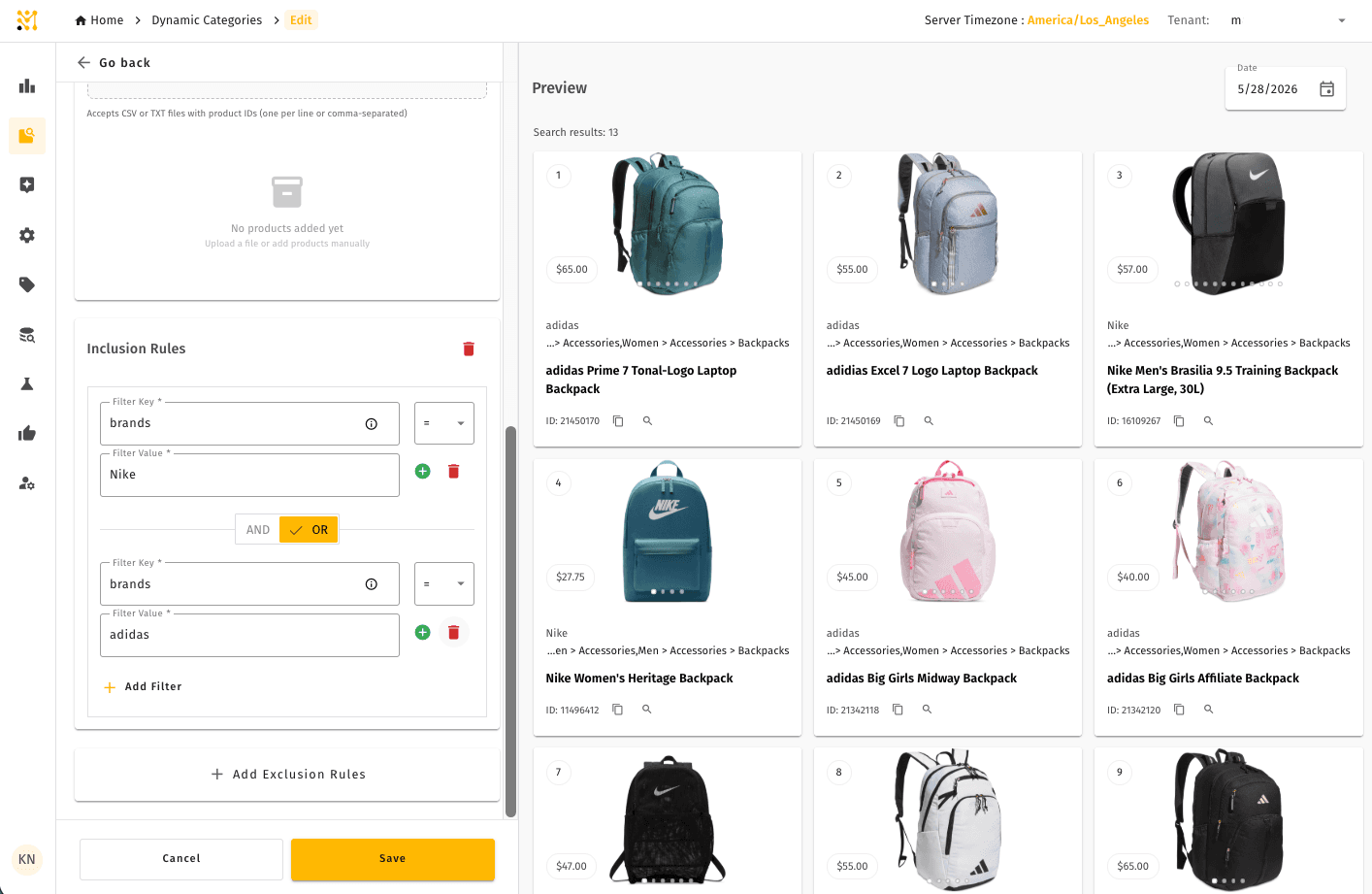
Quick example
A home goods retailer wants a permanent "Under $50 Gifts" category that always shows in-stock products priced below $50, ranked by popularity. Instead of manually curating this list and updating it every time inventory changes, they define a dynamic category with two conditions: price < 50 and inStock = true.
The category goes live immediately. When a product sells out, it disappears from the category automatically. When new products are added under $50, they appear without anyone touching the category definition.
Dynamic Categories is part of the full MXP platform and is not available in Lightweight mode.