Discovery Rules
Boost, bury, pin, and filter rules for merchandising search results
What it solves
Algorithmic search ranking optimizes for relevance — but relevance alone doesn't reflect business intent. A retailer launching a new collection wants it visible on day one, before it has the engagement signals needed to rank algorithmically. A product that's out of stock shouldn't dominate results just because it's historically popular. Seasonal promotions need to surface at the top of specific queries on specific dates.
Discovery Rules give merchants direct control over result ranking for exactly these situations — without touching code, retraining models, or waiting for engagement data to catch up.
When to use it
- Promoting new arrivals — boost a product set before it has organic ranking signals
- Hiding or deprioritizing out-of-stock products — bury or filter products that can't be fulfilled
- Running time-limited promotions — pin featured products to top positions for a campaign window
- Cleaning up irrelevant results — filter products from queries where they consistently mislead shoppers
- Surfacing high-margin products — boost strategically important products across specific categories or queries
Key concepts
Boost — increases the effective relevance score of products matching a condition. Boosted products rank higher than they would algorithmically, without being forced to a fixed position.
Bury — decreases the effective relevance score of matching products. Buried products remain in results but rank lower. Use bury when you want products deprioritized but still discoverable.
Filter — removes matching products from results entirely for the scope of the rule. Use filter when products should not appear at all for a specific query or context — for example, filtering out-of-season items from a summer query.
Pin — forces a specific product to an exact position in the result list regardless of its relevance score. Pins are absolute — a pinned product at position 1 stays at position 1.
Rule scope — rules are applied per tenant and can be scoped to a specific query, a query pattern, a product set, or applied globally. Multiple rules can be active simultaneously; the Merch Rule Service evaluates all active rules and applies their combined effect.
How it works
After the search engine ranks results, the query context passes to the Merch Rule Service (MRS). MRS evaluates all active rules for the tenant against the current query and product set, returning a set of score modifiers. These modifiers are applied to the ranked list before the final results are returned to the shopper.
Rules are authored and managed in the Merch Module UI under the Discovery Rules section. No engineering involvement is required to create, edit, activate, or deactivate rules. Rules are stored per-tenant and take effect immediately on activation.
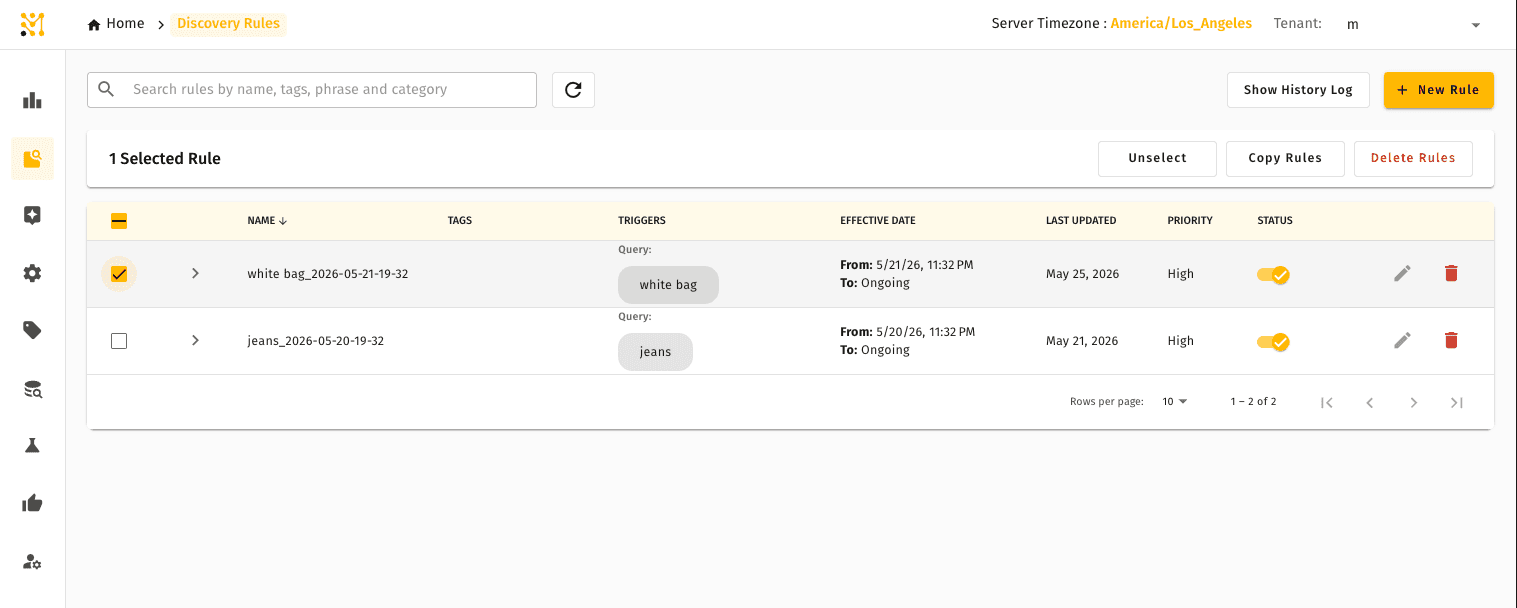
Each row exposes inline actions for activating, editing, duplicating, or deleting a rule.
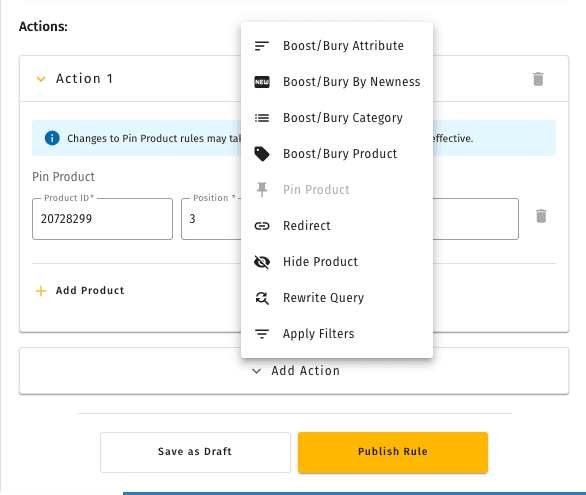
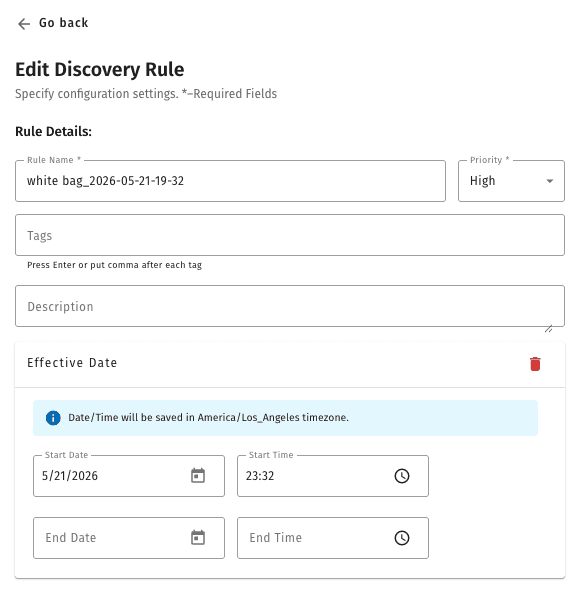
Use + New Rule to create a rule. The editor lets you set the action (boost, bury, pin, filter), trigger, scope, priority, and optional effective dates.
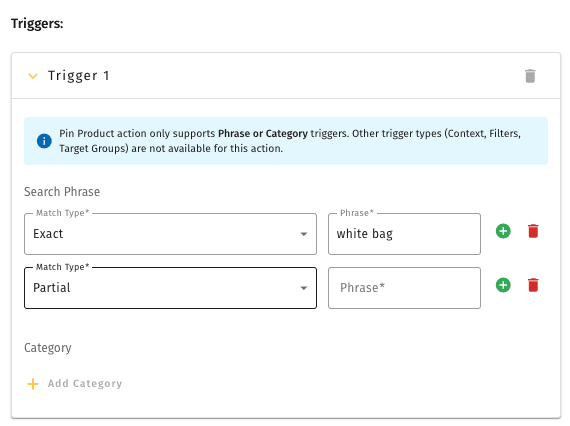
Triggers narrow which queries or contexts the rule applies to. Options include a specific query string, a query pattern, a product set, or all queries on the tenant.
Quick example
A sports retailer is launching a new line of trail running shoes. The products are newly indexed and have no engagement history, so they're ranking on page 3 for "running shoes" — behind established products with years of click data.
A merchandiser creates a Boost rule scoping the new product set to the query "running shoes" and related patterns. Within minutes of activation, the new arrivals appear in the top positions. Two weeks later, once the products have accumulated their own engagement signals, the rule is deactivated and organic ranking takes over.
Discovery Rules are available in Lightweight mode in reduced form, with a simplified editor — see what differs.